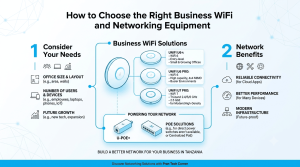
A new office can lose time and money when equipment arrives before the network layout is understood. A simple checklist helps coordinate internet service, cabling, Wi-Fi, security, power and the people responsible for ongoing support.
Start with a room and endpoint schedule
List desks, meeting rooms, printers, phones, access points, cameras and any specialised devices. Mark which endpoints need wired Ethernet and which can use Wi-Fi. This determines the number of switch ports, cable runs, PoE demand and likely rack size.
Create a compatible equipment list
The router must support the internet service and required security features; switches need sufficient ports and uplink speed; access points need a sensible placement plan. Check PoE standards, fibre modules and mounting accessories as a system, not as unrelated purchases.
Commission before the opening date
Test every cable, wireless coverage, guest access, camera recording and UPS operation. Label ports, save configuration backups and keep a list of supplier and support contacts. Use the Pran Tech Corner catalogue to review the equipment categories required for the site.