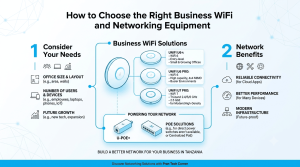
A network switch connects devices inside a local area network, but the choice between managed and unmanaged models affects how much control an administrator has. For a small shop with a few wired devices, simple switching may be enough. Larger offices, schools, hotels and camera installations may need VLANs, monitoring or traffic controls.
When an unmanaged switch is enough
An unmanaged switch is generally straightforward: connect compatible Ethernet devices and it forwards traffic without requiring configuration. It can suit a small, stable network where segmentation and detailed diagnostics are not needed. The limitation is that administrators have little visibility or control when the network grows more complex.
What managed switches add
Managed models may support VLANs, link aggregation, port monitoring, Quality of Service, loop protection and remote administration, depending on the model. These functions help separate guest Wi-Fi, office computers, voice traffic and surveillance devices. Confirm the exact feature set and port speed rather than assuming every managed switch supports every function.
Match ports, power and uplinks
Count wired endpoints, include spare ports and check whether uplinks need 1 GbE, 2.5 GbE, 10 GbE or fibre. If access points or cameras use Power over Ethernet, verify each port standard and the switch’s total power budget. Browse the switch category and plan for both current endpoints and expected expansion.